You haven't signed in yet, you can have a better experience after signing in
*Please complete the payment within {{receiveCouponInfo.expire_at}}Previous use*
You haven't signed in yet, you can have a better experience after signing in



Activity Rules
1、Activity time:{{ info.groupon.start_at }} ~ {{ info.groupon.end_at }}。
1、Activity time:cease when sold out。
2、Validity period of the Group Buying:{{ info.groupon.expire_days * 24 }} hours。
3、Number of Group Buying:{{ info.groupon.need_count }}x。
Please Pay Attention
1、Teamwork process: Join/initiate a Group Buying and make a successful payment - Within the validity period, the number of team members meets the activity requirements - Group Buying succeeded!
2、If the number of participants cannot be met within the valid period, the group will fail, and the paid amount will be refunded in the original way.
3、The number of people required and the time of the event may vary among different products. Please pay attention to the rules of the event.

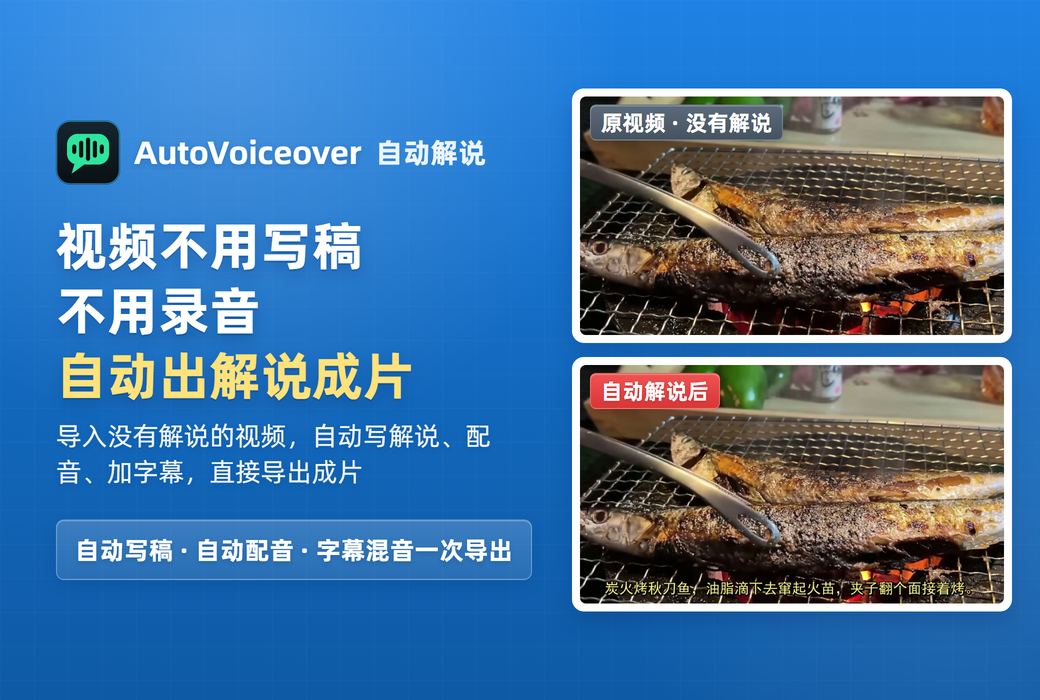
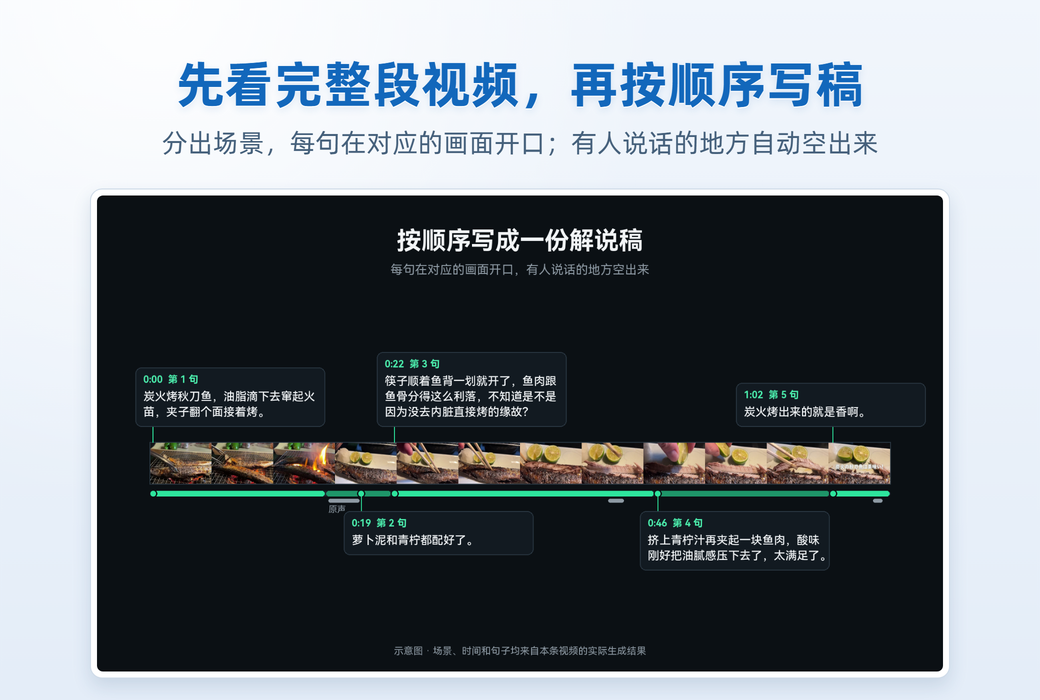
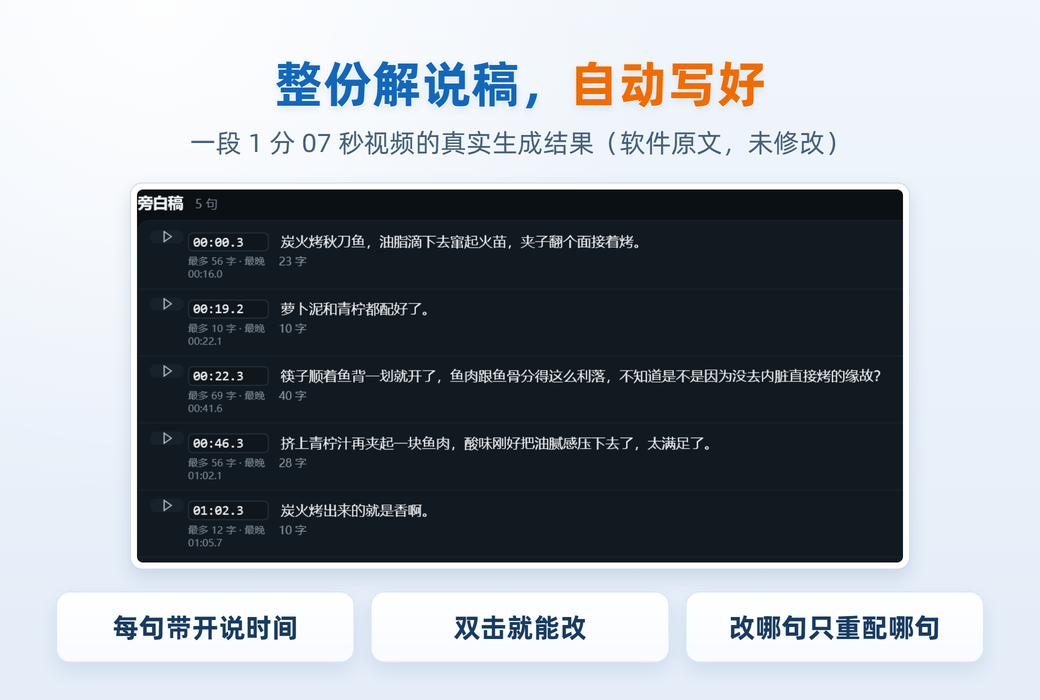
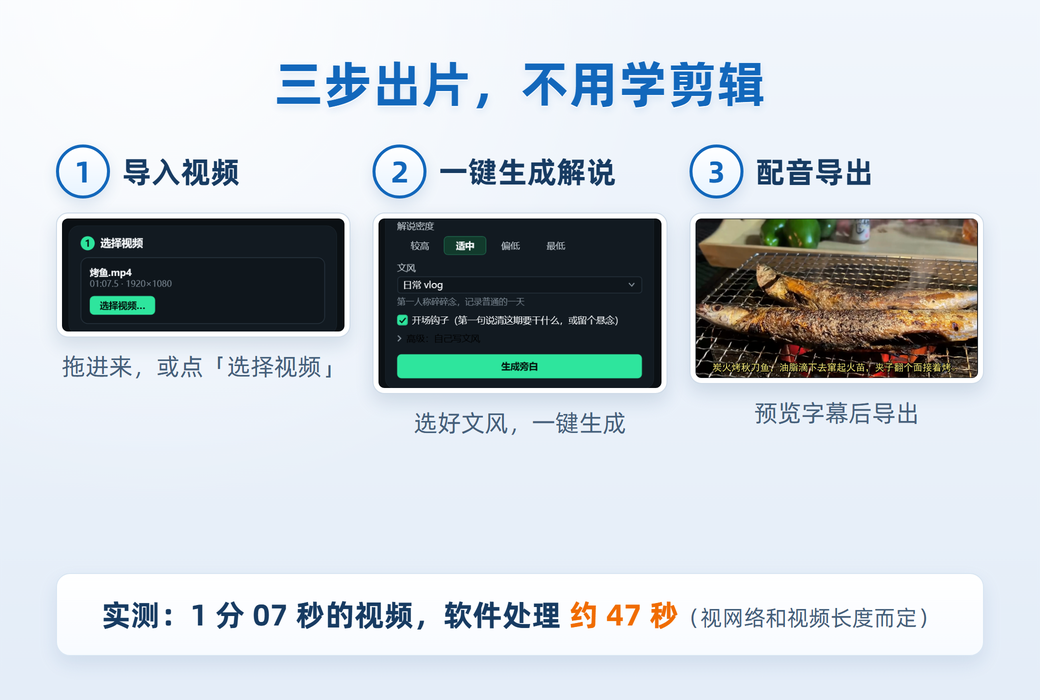
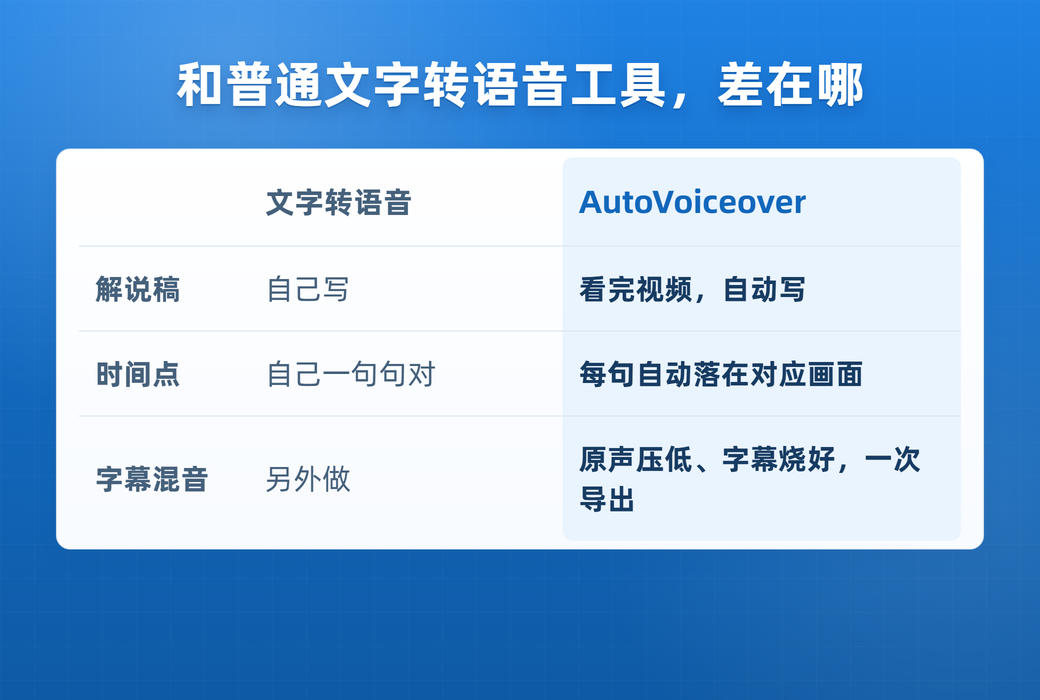
AutoVoiceover is a Windows video automatic commentary software: select a video, the software understands the picture, understands the original sound, and writes a commentary script according to the style you choose; You modify sentence by sentence in the list, select the sound track, and automatically dub it. Mix it with the original sound and export it as MP4 and SRT subtitles. Suitable for travel, store exploration, outdoor activities, and other visual based videos that require additional commentary.
From video to film
Features
The voice recognition of the original sound is completed locally (SenseVoice, running on CPU without the need for a dedicated graphics card); The screen is handed over to the cloud based visual model for segment by segment analysis, and Qianwen (Alibaba Cloud Bailian) is used by default.
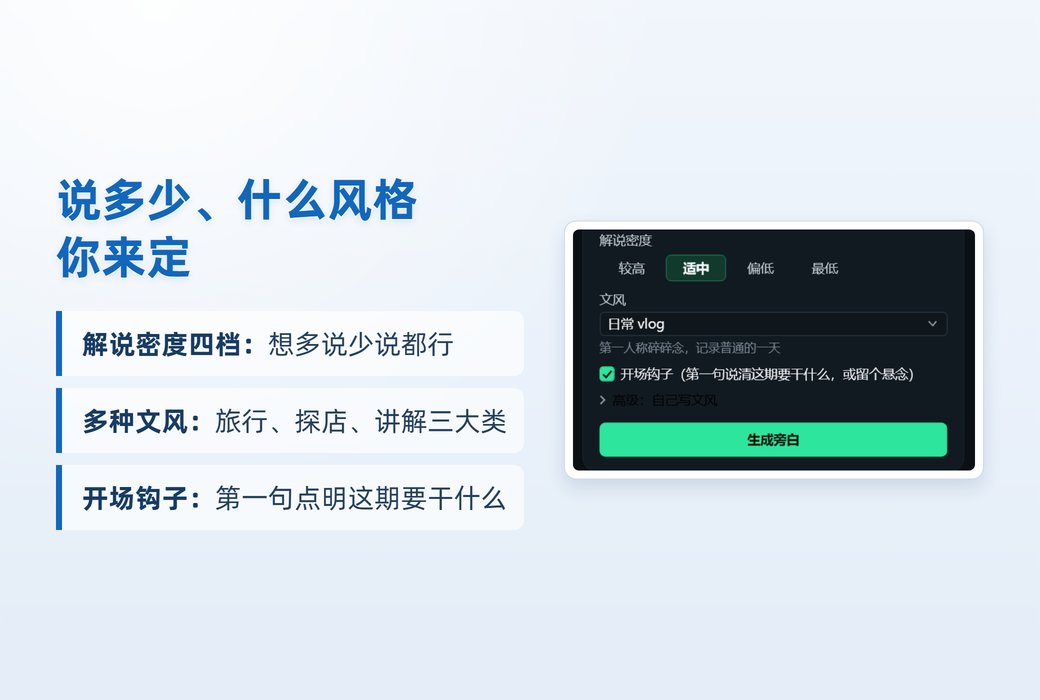
Four levels from 'higher' to 'lowest'. The default setting is' low ', with commentary taking up about 20-30% of the video duration, leaving space for the visuals and original sound.
Divided into three groups: outdoor travel, lifestyle exploration, and knowledge explanation, such as "accompanying outdoor bloggers to watch". You can also write your own writing style and save it; You can also add an opening hook, the first sentence clearly stating what this issue is going to do.
You can choose from ElevenLabs or Alibaba Cloud Bailian's 88 system soundtracks. If you choose, you can try listening first. After turning on 'automatic tone', emotions will be automatically added to sentences based on the content of the screen.
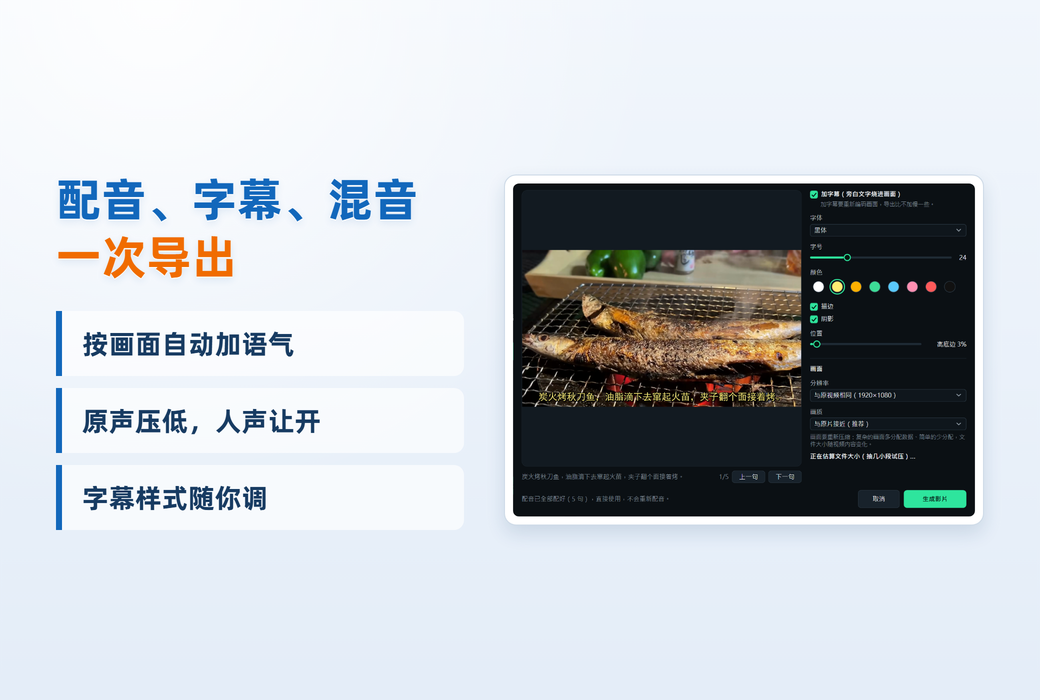
The voiceover and original voice are mixed together, and the original voice automatically lowers when speaking. Export MP4 videos and SRT subtitles, or press voiceover subtitles into the frame and select the export resolution and image quality.
Each dubbing will be cached, and re dubbing will only generate modified sentences. After the limit is used up or the key is interrupted due to an error, click 'Continue' to only make up for the unfinished part.
system requirements
Instructions for Use
Data and Privacy
The original voice recognition is completed on your computer. When analyzing the image, the video clip will be uploaded to the visual modeling service of your choice; Send the written text to Alibaba Cloud Bailian; Send the voiceover text to the selected dubbing service to generate voice. These services all use your own API Key to process data and billing according to each company's rules.
The API key is encrypted and saved locally. Only send the hash identifier of the device when activated. Uninstalling the software will not delete the videos you exported.
Target Audience
Official website:https://yczlabs.com/zh/products/autovoiceover/
Download Center:https://autovoiceover.apsgo.cn
Shipping time:24-hour automatic shipping
Operating Platform:Windows
Interface language:Supports Chinese interface display and multiple language options.
Update Description:Lifetime updates
Trial before purchase:Free trial is available before purchase.
How to receive goods:After purchase, the activation information will be sent to the email address at the time of placing the order, and the corresponding product activation code can be viewed in the personal center, My Orders.
Number of devices:Can install 2 computers.
Replace computer:Uninstall the original computer and activate the new computer.
Activation guidance:To be added.
Special note:You need to provide your own model service APIKey, which will be charged based on usage.
Reference materials:https://yczlabs.com/zh/products/autovoiceover/

Any question